Alex Exteriors
A working sales and publishing site for Alex Exteriors. Homeowners can compare services, study completed jobs, and send project details and photos; Alex can keep the portfolio and field notes current without calling a developer.
- Built for
- Siding and exterior work
- Homeowner path
- Service / related work / estimate
- Estimate intake
- Address, scope, and up to 5 photos
- Owner workflow
- Publish projects and field notes
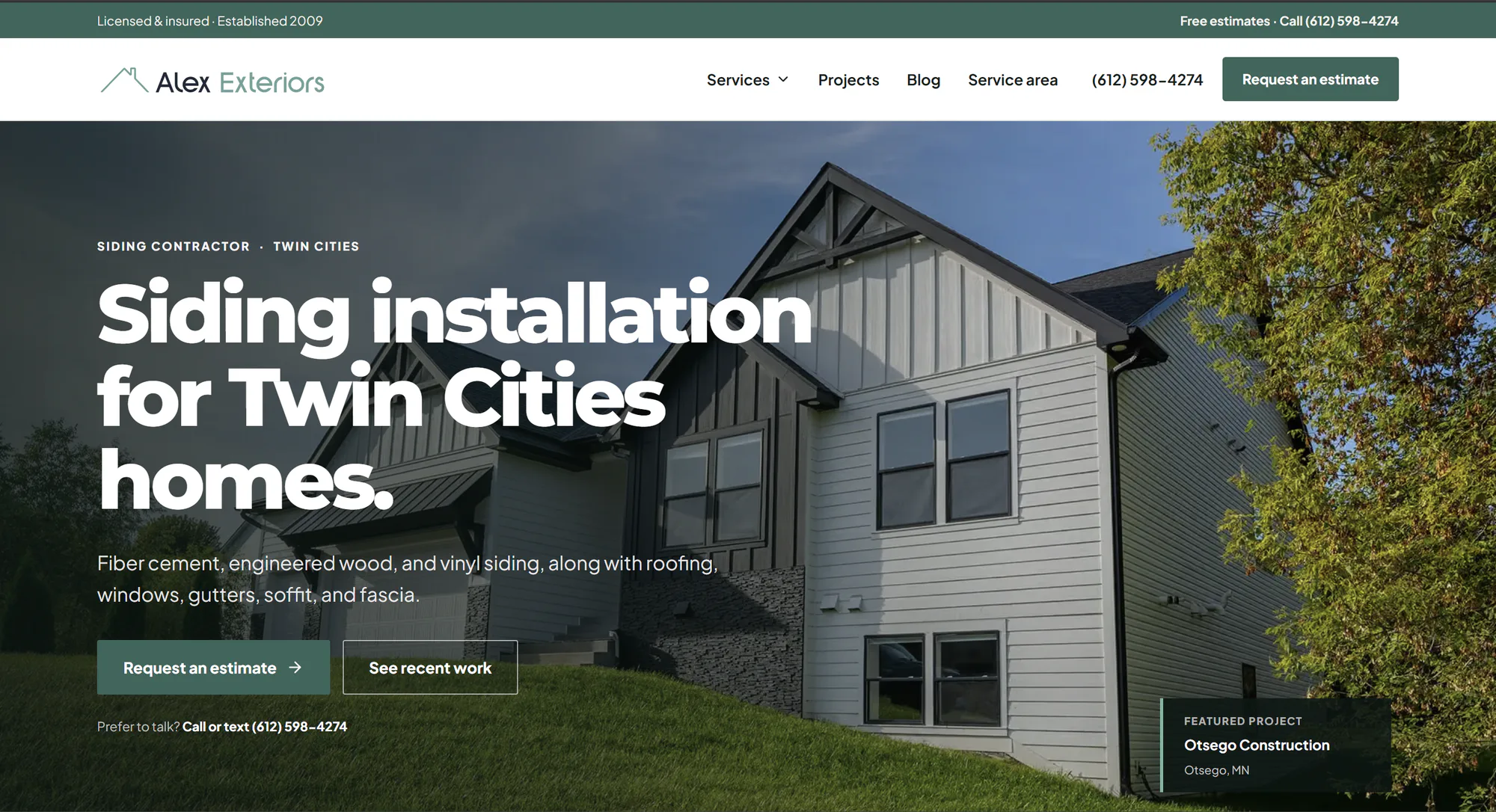
A contractor website that shows the work and makes the next call easier
Questions the site had to answer
Alex leads with siding and also handles roofing, windows, and gutters across a wide service area. Before calling, a homeowner needs three practical answers: Do you handle my type of job? Have you done work like it? What do you need from me for an estimate? The site also had to be simple enough for Alex to update between jobs.
How homeowners find the right proof
We put finished work at the center. Visitors can filter projects by service, open a full job with its location, materials, scope, timeline, and photos, then move to the matching service or estimate form. Service pages explain the work in plain language and point to relevant projects. Local pages cover the service area without crowding the main navigation with city names.
How Alex keeps the site current
Alex has a secure dashboard for adding project photos, choosing a cover image, arranging the gallery, and publishing field notes. Published work feeds the project gallery and search sitemap. The estimate form collects the address, service, job description, and up to five photos, then sends a useful copy to both Alex and the homeowner.
What the finished website does
The finished website does the basic jobs a contractor needs from it: show credible work, explain what is offered, confirm where the company works, and collect enough information for a useful follow-up. Alex can keep that proof current himself instead of waiting on a web developer.
Three screens,three practical jobs.
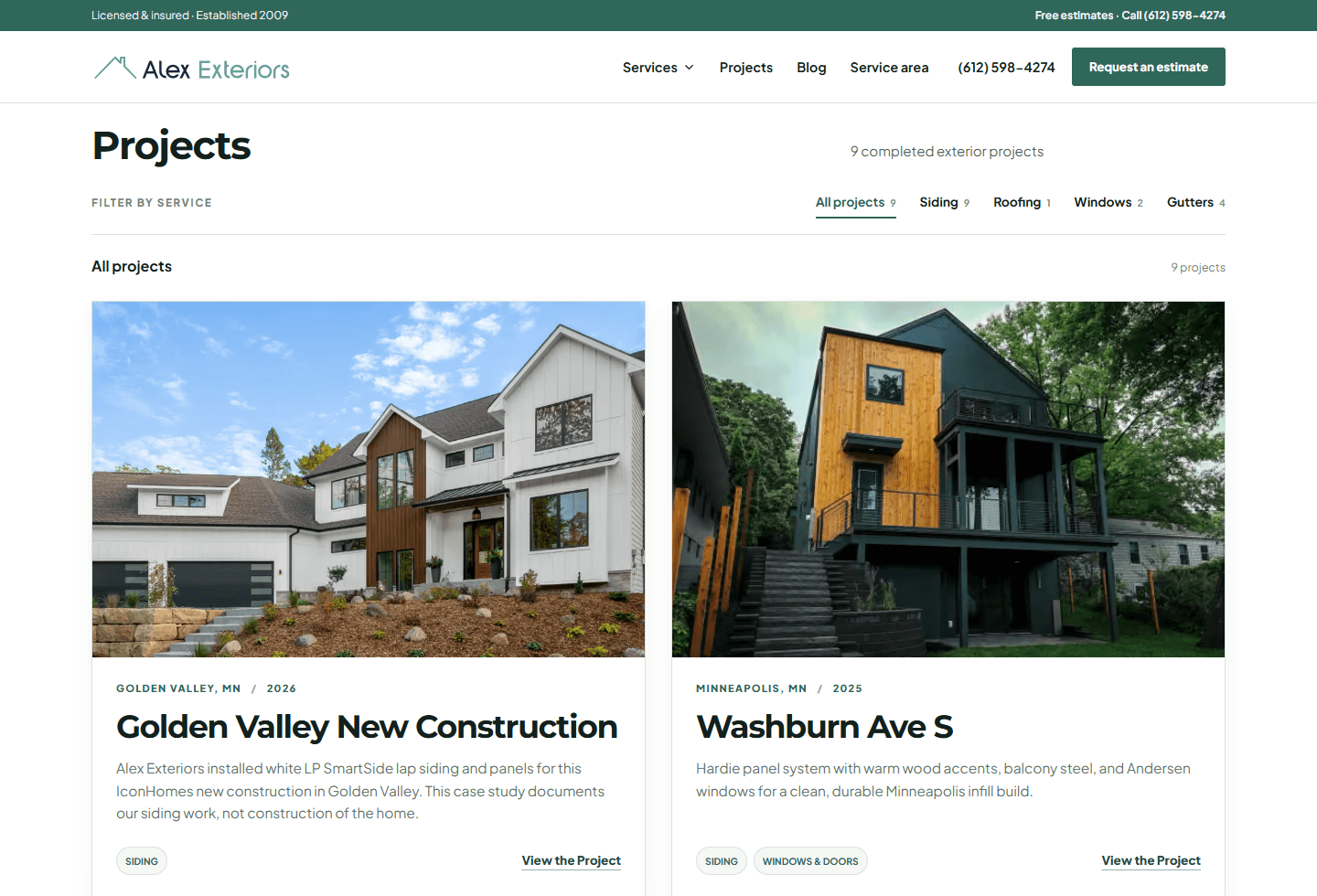
Homeowners can filter completed work by siding, roofing, windows, or gutters, then open a full job instead of judging the company from a stock photo.
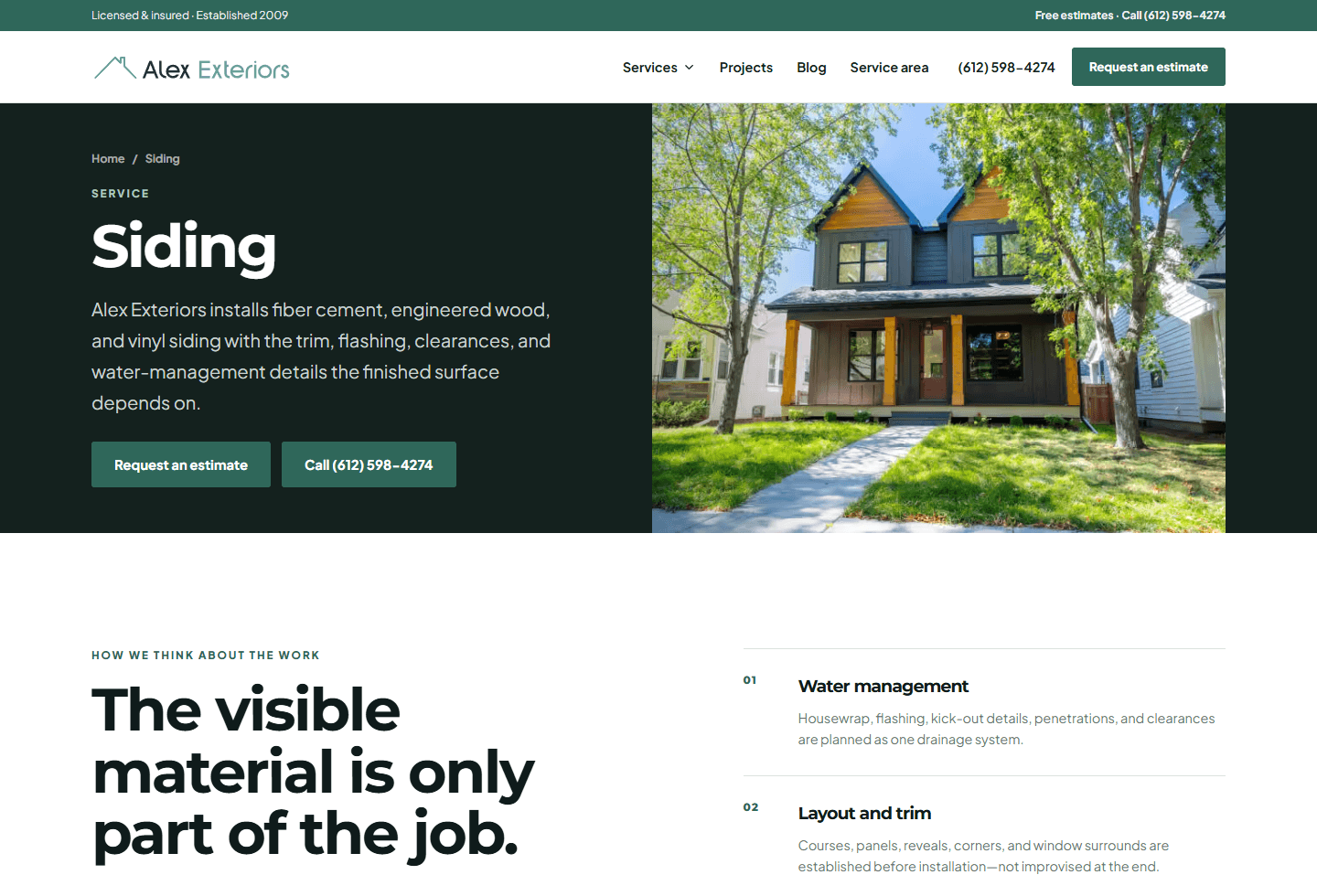
Each service page explains what Alex installs, how the work is planned, and which completed projects are relevant to that scope.
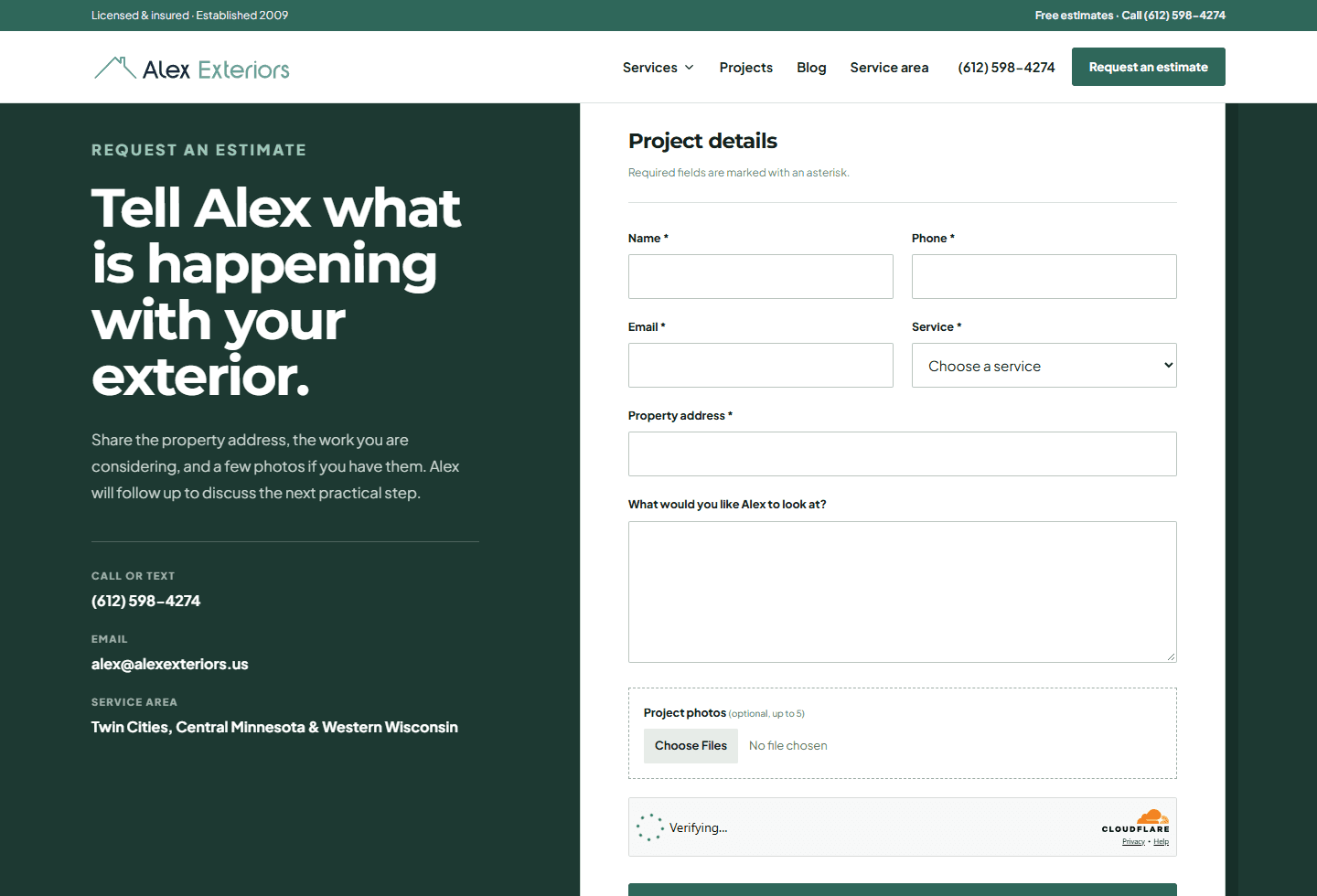
The form asks for the property address, service, project description, and optional photos so the first follow-up starts with useful job information.
Deliverables
Contractor-focused content and page structure
Responsive design for desktop and phone
Filterable project gallery and detailed job pages
Siding, roofing, windows, and gutters pages
Estimate form with optional project photos
Service-area pages, metadata, canonicals, and sitemap
Secure project and field-note publishing dashboard